 LalabbTools
How to Calculate a Book’s Spine Width
Compare final interior page count and paper type with the printer’s official cover template before fixing the spine.
Spine width depends on the finished interior page count, paper and printing options, and binding. Lalabb estimates it from settings passed by Book Studio, but the printer’s current cover calculator and template determine the submission dimensions. If the values differ, compare every input and prioritize the printer’s official result.

When do you need a spine width?
The spine is the side visible when a book is shelved. Its width is the space reserved between back and front on a spread cover. If it is wrong, front and back placement and overall cover width can also be wrong.
You do not need a print-book spine calculation for a single eBook front-cover image. Saddle-stitched or spiral-bound books may not have a printable spine. But if the printer requires a spread cover with a spine, its width matters even without spine text.
Confirm four inputs before calculating
If you inserted blank pages or added pages at the end, do not reuse the old count.
| Input | Why it matters | Where to check |
|---|---|---|
| Final interior page count | More pages can make the spine wider. Count pages in the finished PDF, not art files. | Book Studio output and the actual PDF |
| Paper and printing option | The same count may yield a different width on different paper. | Project value and printer options |
| Binding and printer | Paperback and hardcover cannot simply share one formula. | Printer calculator and template |
| Finished trim size | Helps determine total cover dimensions and available template, separately from the spine formula. | Book settings and printer form |
For gathering pages and making the interior, read Make a coloring book PDF
For trim shape, read Square versus portrait books
The same 200 pages vary by paper
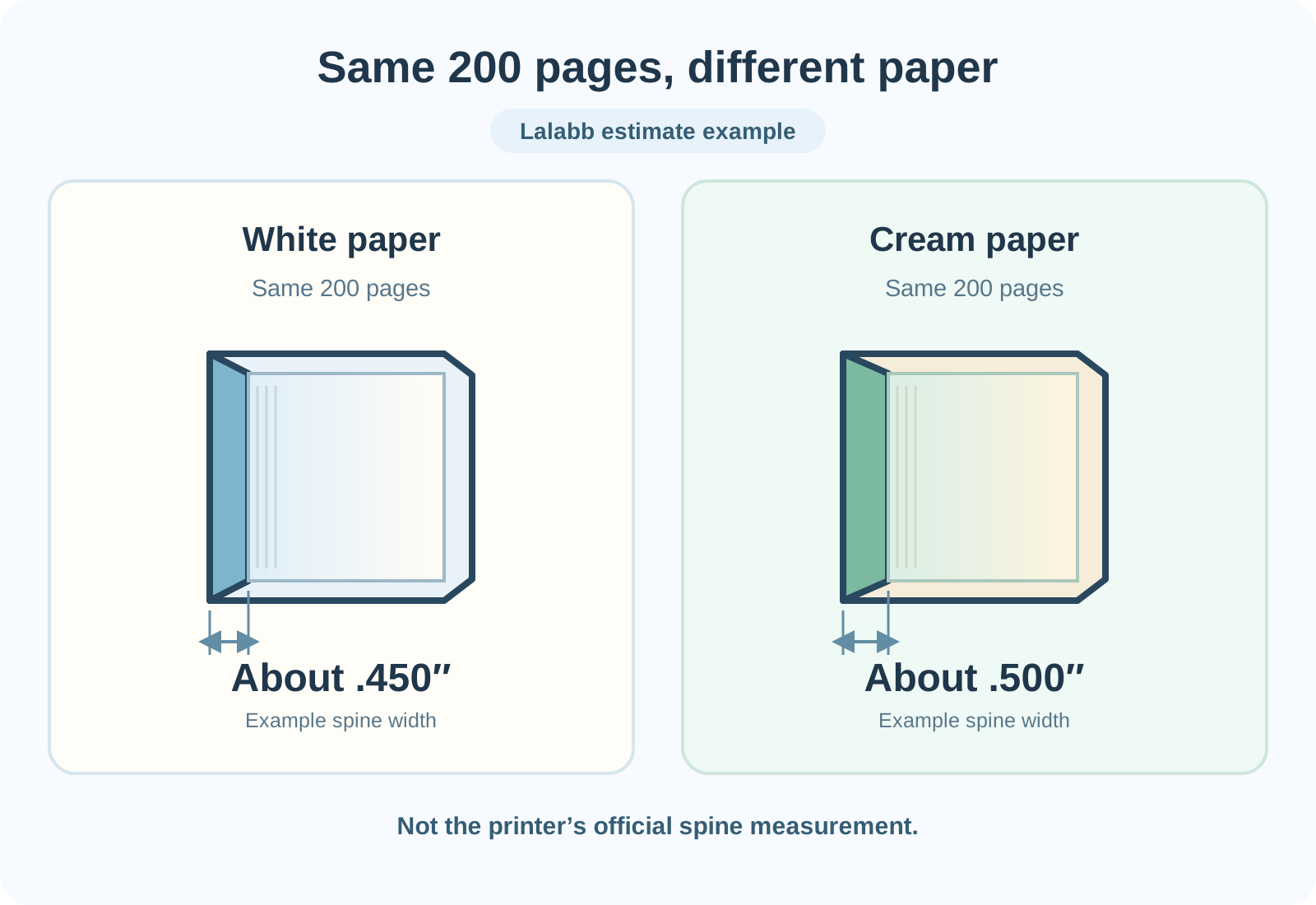
The comparison illustration shows Lalabb’s current example: about 0.450 inch for 200 pages on white paper and 0.500 inch on cream. The illustration alone does not establish the printer’s final spine value.
Applying KDP’s current paperback per-page values to 200 pages gives these examples:
| KDP paperback condition | Per-page value | 200-page example |
|---|---|---|
| Black ink, white paper | 0.002252 in | 0.4504 in |
| Black ink, cream paper | 0.0025 in | 0.5000 in |
| Standard color | 0.002252 in | 0.4504 in |
| Premium color | 0.002347 in | 0.4694 in |
These examples explain KDP’s current paperback formula. For a real submission, prioritize the official KDP cover calculator and template using the final binding, ink, paper, trim, and page count. Do not apply KDP coefficients unchanged to another printer.
Compare with the printer’s measurement
A formula is a starting point; the printer’s latest rules govern submission. KDP’s calculator uses binding, interior and paper options, reading direction, trim size, and page count to generate a cover template. Lulu can use different spine calculations by binding. Do not assume every printer gives the same spine for 200 pages.
If the printer and Lalabb differ, compare final count, paper and ink, binding, and trim size side by side. KDP may round an uploaded interior to an even page count, so verify the count accepted by the printer rather than relying solely on your working view. If inputs match but values still differ, use the official template. Cover Studio currently has no manual spine-width input; if necessary, finish the cover in another editor using that template.
Trim size also affects the full cover. Matching one spine number does not establish the correct overall width and height.
For the full cover spread, read Make a wraparound cover in Cover Studio
A practical sequence
- Finish the interior. Make the PDF with final drawing order and blanks, then count its actual pages.
- Record the print conditions: printer, binding, trim, interior print and paper. Do not finalize the spine before deciding paper.
- Inspect Book Studio’s result. Confirm final count and stored paper value. The current general Book Studio view has no direct paper selector and new projects default to white, so do not treat that value as final if you intend different paper.
- Read Cover Studio’s estimate. Follow “Make cover” from the completed Book Studio interior and inspect the spine width calculated from passed settings.
- Enter the same count, paper, binding, and trim in the printer’s official calculator. Compare spine and full cover dimensions.
- Investigate a difference. Correct mismatched conditions or count and recalculate. If a difference remains with matching conditions, prioritize the printer’s official value.
- Reopen the final files. Do not reuse an old cover after changing interior or paper. For KDP, check size, spine, and text warnings in Print Previewer. A passing preview does not guarantee physical print results.
Before putting a title on the spine
A calculated spine is not automatically wide enough for text. On a narrow spine, text can be hard to read or shift over the fold. KDP prints paperback spine text on books of at least 80 pages and requires at least 0.0625 inch between text and each spine edge. Check different printers and book types separately.
Cover Studio reserves and displays the spine width, but does not automatically add spine title or dedicated artwork. If your design needs a title or background there, do additional cover work. Even without text, check spine position and continuity with the printer’s template.
Checklist before saving
- I opened the actual interior PDF and checked final page count.
- I included added blanks and changes to the last page.
- I chose the printer and binding.
- The interior and paper choices match printer settings.
- Trim and reading direction match the official template.
- I compared Lalabb’s estimate with the printer’s spine width.
- If values differ, I investigated and prioritized the official measurement.
- For spine text, I checked eligibility and safe spacing.
- I did not reuse an old cover PDF after editing the interior.
- I rechecked spine and full dimensions in the final PDF and printer preview.
Common mistakes
- Treating 100 art files as exactly 100 interior pages; blank backs and extras can change the final PDF count.
- Changing paper while keeping the old spine width, even though paper can change it.
- Assuming trim size alone establishes spine width; final count, paper, and production conditions also matter.
- Applying another printer’s formula despite different binding or paper.
- Treating Lalabb’s estimate as an approved printer measurement; it aids review, not approval.
Troubleshooting
The interior count differs from the printer calculator.
Open the Book Studio result and actual PDF to inspect blanks and last pages. Check how the printer counts the uploaded interior, then compare the cover using its accepted final count.
The printer template differs from Lalabb for the same 200 pages.
First verify paper, ink, and binding really match. If the difference remains, work to the printer’s latest official template rather than forcing Lalabb’s estimate.
KDP Previewer reports an incorrect cover size.
Compare the entire spread, including front, back, spine, and bleed, with calculator dimensions. Correct the source cover, export a new PDF, and upload again.
The spine title looks shifted toward a cover panel.
Reposition it using the printer template’s spine center and safety spacing. If the spine is too narrow or below eligibility, omitting the title may be safer.
The spine is blank in Cover Studio’s PDF.
The tool reserves its width but does not make spine text or dedicated art. Complete that work against the official template if your design needs it.
Frequently asked questions
What should I multiply by page count to get spine width?
Use the per-page value for the printer’s binding and paper conditions on the final interior count. KDP’s current black-ink, white-paper paperback example is 0.002252 inch per page; do not reuse it unchanged for other printers or bindings.
Is the number of image files the same as interior page count?
Not always. Blank backs and added pages can increase the finished PDF count. Open that PDF and count its pages.
Do front and back covers count as interior pages?
Usually the spine input is the interior page count; the covers live in a separate spread file. Enter the final interior count the printer asks for.
Why do white and cream paper produce different widths?
Paper properties and the printer’s calculation values differ. In KDP’s current example, 200 black-ink pages give 0.4504 inch on white paper and 0.5000 inch on cream. Rerun the official calculator for your actual paper.
Does changing only trim size change spine width?
Lalabb’s current estimate uses final count and paper, while trim determines the full cover. But changing trim can reflow the interior and change final count. Check both the revised PDF and official cover template.
Can I skip spine calculation if there is no spine title?
Not for a printed spread cover with a spine. The area between back and front still needs the correct width. A one-image eBook cover is different.
Can I use a KDP number for another printer?
Do not assume so. Paper and binding differ. Use the calculator or template supplied by the printer you will actually use.
Does hardcover use the paperback formula?
Do not assume it does. Cover structure and binding differ. Use the official calculator and template for the hardcover option rather than treating Lalabb’s estimate as approval.
Can I reuse the cover after adding two interior pages?
Recheck spine and full cover dimensions against the new PDF in the official calculator. Even if the number looks close, reopen and review the final cover layout.
Can a 50-page KDP paperback have spine text?
KDP’s current rule allows printed spine text on books of at least 80 pages. A 50-page spine title does not meet it. Calculating width and eligibility for text are separate checks.
Can I manually enter the printer’s spine width in Lalabb?
Cover Studio currently has no manual input. It calculates from Book Studio’s final count and stored paper. If it differs from the official template, use another editing method that can follow the template.
Is a white blank spine in Cover Studio an error?
Not necessarily. The tool provides the region but does not create spine title, art, or continuous background. Decide whether blank is intentional and do any needed design before submission.
Continue in Lalabb
If settings are missing, finish the interior and page count in Book Studio and use “Make cover.” Cover Studio’s measurement is for comparison. Do not finalize submission from it alone when it differs from or has not been checked against the printer’s official value.
Book-making flow
- Create content
- Prepare files
- Gather pages
- Book Studio
- Cover Studio
- Final check
In Cover Studio, compare the spine estimate based on Book Studio’s page count and paper.
Before finalizing the cover, compare with the printer’s latest template or official calculator.