 LalabbTools
Short-Form Social Video Sizes
Start with the destination and preview your composition; 9:16 is a useful vertical starting point, not a universal rule.
Choose the platform and posting format first. A 9:16 canvas such as 1080 × 1920 pixels is a practical starting point for full-screen vertical video, but feeds and previews may crop it differently. Reframe a horizontal source in an editor before using Lalabb to reduce its size.
What size should you start with for vertical video?
Choose where you will post first, then check that app’s current display and file requirements. A 9:16 ratio is a useful starting point for vertical video, but it is not mandatory for every post.
Examples of 9:16 frames are 1080 × 1920 and 720 × 1280 pixels. They have different pixel counts but the same shape. These are examples for starting a project, not universal requirements imposed by every app.
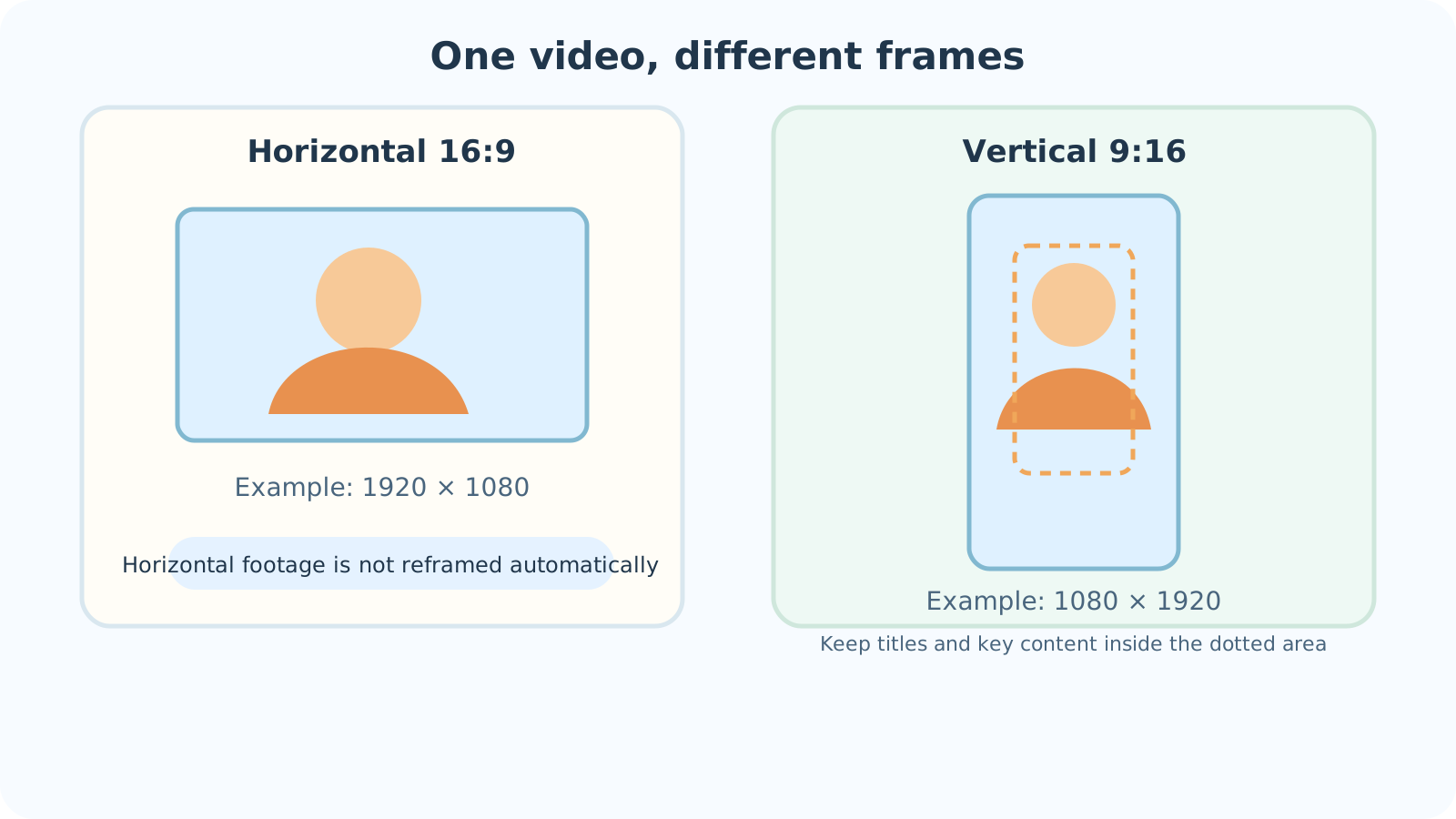

Using horizontal footage in a vertical frame
If you have horizontal footage, first crop and reframe the scene in a video editor. Position the person or product for the vertical frame. Simply stretching a horizontal image can distort faces and objects.
Lalabb’s Video Compressor / Resizer preserves the source aspect ratio. It does not automatically recompose a horizontal shot for vertical display or move subjects within the scene.
One aspect ratio does not fit every placement
9:16 is a starting point for a full-screen phone video. 1:1 is square; 4:5 is vertical but less tall. If you reuse one file in multiple places, do not assume each placement will show the same area.
YouTube classifies qualifying square or vertical uploads as Shorts. Meta’s Reels advertising guidance emphasizes 9:16 and safe zones. Do not turn an ad specification into a rule for every ordinary Instagram post; check the composer and preview for the actual placement.
| Frame shape | Example ratio | First thing to check |
|---|---|---|
| Full-screen vertical | 9:16 | Will the top or bottom interface cover captions or faces? |
| Square | 1:1 | Will the top and bottom of a vertical source be cut off? |
| Less-tall vertical | 4:5 | Will the subject and text remain in the displayed area? |
Check the posting app’s composer and preview
Do not place captions, faces, or important products against the top or bottom edge. App buttons and descriptions can cover them.
The covered area varies by posting format. Inspect the actual app preview instead of treating one fixed safe-margin pixel value as a rule for every app.
TikTok in-feed ad safe-zone example (not a rule for ordinary posts)
What can Lalabb do?
For footage already framed vertically and within 60 seconds and 250 MB, Video Compressor / Resizer can set output width and quality and create a WebM copy. The 60-second limit is the current Lalabb tool’s processing scope, not a universal platform limit.
The tool preserves the source aspect ratio. It does not automatically crop, reposition scenes, turn horizontal footage into a vertical composition, export MP4, or determine the best settings for a posting platform.
Start with a short representative clip. Play the downloaded WebM and check picture, captions, sound, and size. Confirm that the destination app accepts WebM. Some browsers may produce a result without sound; do not post a silent result if audio matters.
Final checklist before posting
Cropping and accepted file formats can differ by app and placement, even for the same source video.
- Did I check the current video requirements for the app and posting format?
- If using horizontal footage vertically, did I reframe rather than stretch it?
- Are faces, products, and captions away from frame edges?
- Did I play the finished file full-screen on a phone?
- Did I check the composer preview for overlap with buttons or descriptions?
- Did I check sound, image quality, and file size in the finished file?
- Does the posting app accept the finished file format?
Common short-form framing mistakes
- Stretching a horizontal video into a vertical frame: faces and objects become distorted.
- Using one 9:16 file without checking other placements: a square or feed preview may crop part of it.
- Putting captions at the frame edge: app buttons or descriptions may cover them.
- Posting a WebM without playing it: some environments may leave out its audio.
- Expecting compression to improve blurry source footage: lost detail cannot be restored.
Troubleshooting
I supplied horizontal video and the result is still horizontal.
The tool preserves source proportions. First crop and position the scene for vertical framing in a video editor, then use Lalabb to reduce dimensions or file size if needed.
Captions or a face are hidden after posting.
Inspect the posting app’s composer or preview to see what it covers. Move important elements inward in the source edit and export again.
The posting app refuses my WebM file.
Check the app’s current accepted formats. This Lalabb tool does not export MP4; use a separate editor or converter that supports the required format.
Black bars appear at the sides after upload.
Compare source and placement aspect ratios. Lalabb does not automatically reframe the shot. Set the intended ratio in a video editor and export again.
Captions look soft after compression.
Compare source and result at the same display size and inspect whether the captions are too small. If needed, enlarge them in the original edit, then test a short clip with a higher output size and quality in Lalabb.
Frequently asked questions
Must every short vertical video be 9:16?
No. 9:16 is a useful example for a vertical frame. Check the current requirements and preview of your actual posting format.
Are 1080 × 1920 and 720 × 1280 different shapes?
No. Both are 9:16. Their pixel counts differ, so choose in light of the source quality and the destination’s requirements.
Will Lalabb automatically adapt horizontal video to a vertical frame?
No. Video Compressor / Resizer keeps the source ratio. Crop and reframe in a video editor first.
Can this tool create an MP4?
No. Its current output format is WebM. Use a separate editor or converter that supports MP4 if that is required.
How can I tell whether the finished file has audio?
Play the saved WebM and check picture and sound. Some browser environments may omit sound, so do not post a silent result when audio is needed.
Does YouTube Shorts require exactly 9:16?
No. YouTube also categorizes qualifying square or vertical videos as Shorts. Check the upload preview for how yours will appear.
Can I use the same vertical file for Instagram Reels and the regular feed?
That depends on current requirements for each posting placement. The visible area and interface can differ, so preview it separately in Reels and the feed.
Should I apply a TikTok ad safe zone unchanged to ordinary posts?
Not automatically. Ad specifications describe ad placements. For an ordinary post, check the actual app composer and preview for overlays.
Will saving at higher resolution sharpen a blurry original?
No. More output pixels do not recreate source detail. Start with a clearer original and compare the result at its target display size.
Should a thumbnail use the same safe area as the video?
Not necessarily. A thumbnail may be cropped differently in lists or profiles. Inspect the app’s thumbnail selection and preview separately.
Can I upload Lalabb’s WebM directly as a Pinterest Video Pin?
Do not assume so. Pinterest’s current web Video Pin guidance lists MP4 and M4V, not WebM. Check its latest accepted formats and prepare a supported upload file with another editor or converter if necessary.