 LalabbTools
Why Local Processing Helps Protect Your Files
Learn what browser-based conversion means for a selected file—and what it does not say about page traffic or your device.
In Lalabb’s verified JPG-to-PNG path, the browser reads the selected file and makes a new PNG without sending the file contents to an external conversion server. This does not mean the website makes no network requests or that downloads, extensions, and shared-device settings manage themselves.
What does “processed on your device” cover?
After you select a file, the browser reads it and creates the converted result. Here, “local” describes that selected-file conversion. It does not mean that loading the webpage and images, showing ads, or running browser extensions involves no communication or other activity.
Do not assume every tool uses the same processing path. Before selecting a private file, read the notice on that particular tool page.
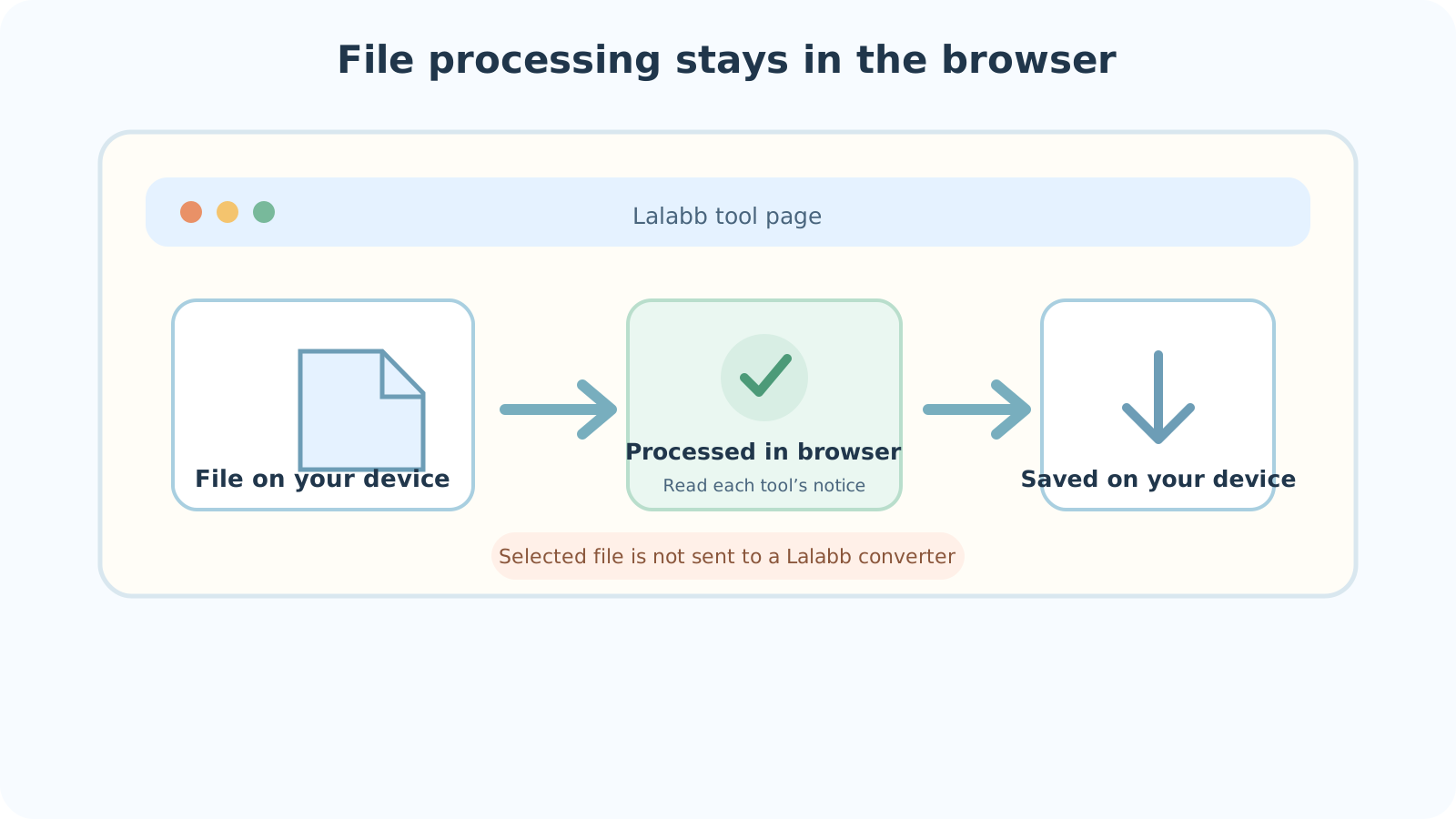

JPG to PNG as an example
Lalabb’s JPG-to-PNG tool creates a PNG copy in the browser without uploading the selected JPG contents to an external conversion server.
The original JPG remains unchanged; the PNG is a new copy.
For the differences among formats, read JPG, PNG, and WebP explained
- Select a JPG from your device.
- The browser opens the image and creates the PNG result.
- Download the result to save the PNG on your device.
File conversion and website traffic are different
Converting a selected file in the browser is separate from retrieving a page from the internet. Network requests when a site or ad loads do not by themselves prove that the selected file contents were sent to a conversion server. Equally, a local-processing notice does not guarantee the behavior of browser extensions or device-management software.
MDN: reading local files and temporary object URLs
| What are you checking? | Verified JPG-to-PNG scope | What you should check |
|---|---|---|
| Conversion of the selected file | Read in the browser; a PNG copy is created | The current notice on that tool |
| Page and ad traffic | Web requests separate from file conversion | Browser and site privacy notices |
| Downloaded result | Saved on your device | Save location and sharing settings |
Manage the downloaded file yourself
A temporary in-browser download URL is different from a file you actually saved. The downloaded PNG remains on your device. On a shared computer, find the save location and decide, under its rules, whether the file may remain.
Work or school device controls and browser extensions can operate separately from Lalabb. For sensitive files, consider the device and browser environment as well.
Checklist before handling a sensitive file
Local processing cannot manage the risks of a shared device, extensions, or its Downloads folder for you.
- Did I read this tool page’s processing notice?
- Is this shared, work, or school device an appropriate place to use the file?
- Did I check browser extensions and screen sharing?
- Did I keep the original and choose a working copy?
- After downloading, did I confirm the actual save location?
- Will backup or sync settings move the file into another folder?
- On a shared device, did I handle the result under its usage rules?
Common misconceptions about “local”
- Assuming an opened page needs no internet: page loading and file conversion are different.
- Assuming every tool takes the same route: read each tool’s own processing notice.
- Closing the tab without downloading: verify that the new file was actually saved.
- Leaving files in a shared PC’s Downloads folder: they may remain on that device.
- Assuming local conversion controls other apps or extensions: inspect your environment too.
Troubleshooting
I may have left a result on a public computer.
Locate the download and handle it under that computer’s usage rules. If you cannot manage the file yourself, ask the device administrator.
I closed the tab and can no longer see the result.
First check whether a result was saved in Downloads. If you closed the tab before saving, its temporary in-browser result may not be recoverable. Select the original again, convert, and download.
The browser freezes on a large file.
Local conversion uses your device’s memory and processing power. Close other heavy tasks and test a smaller file first. Preserve the original while checking device and browser limits.
The download is in an unexpected synced folder.
Check the browser download location and device sync settings. For a sensitive file, follow device policy to move or remove it and check whether it was already shared.
It says complete, but I cannot find a download.
Check download-blocking alerts and save permissions, then look for an actual file. Keep the original untouched before retrying.
Privacy note
This describes the selected-file conversion path verified for JPG to PNG. It does not guarantee that page loading, ads, or other software on your device works in the same way. Read Lalabb’s privacy notice and each tool’s processing information for details.
Frequently asked questions
Does local processing mean the site always opens offline?
No. Here it describes conversion of a selected file. Retrieving the webpage and ads is separate.
Does JPG to PNG upload my chosen photo to a conversion server?
In the verified JPG-to-PNG path, file contents are processed in the browser rather than sent to an external conversion server. Check other tools individually.
Does converting JPG to PNG alter the original JPG?
No. This tool leaves the original JPG intact and creates a new PNG copy.
Where does the downloaded result remain?
The PNG is saved to your device’s download location. Check that location and manage the file yourself.
Do all Lalabb tools process files in exactly the same way?
Not necessarily. Read the relevant tool’s processing notice before selecting a sensitive file.
Is the original permanently stored on the site as soon as I select it?
The verified JPG-to-PNG path makes a browser-based copy without sending file contents to an external conversion server. That does not imply permanent site storage. Check each other tool’s own notice.
Are a temporary in-browser result and a downloaded file the same?
No. The temporary result makes a download available in the tab; a downloaded file is a separate copy at your device’s save location. Confirm it was saved before closing the tab.
Is local processing enough to make a shared computer safe for sensitive files?
No. Downloads and device or browser policies still matter. Check usage rules and save locations; for sensitive files, a trusted personal device may be safer.
Do analytics or ad requests prove that file contents were transmitted?
Not by themselves. Separate page traffic from the selected file’s conversion path. In the verified JPG-to-PNG path, file contents are not uploaded to an external conversion server. Read the privacy notice and tool processing description.
Will a large file always succeed because processing is local?
No. Local work depends on device memory and browser performance. Test a smaller copy first, preserve the original, and inspect available resources if it fails.